Messages
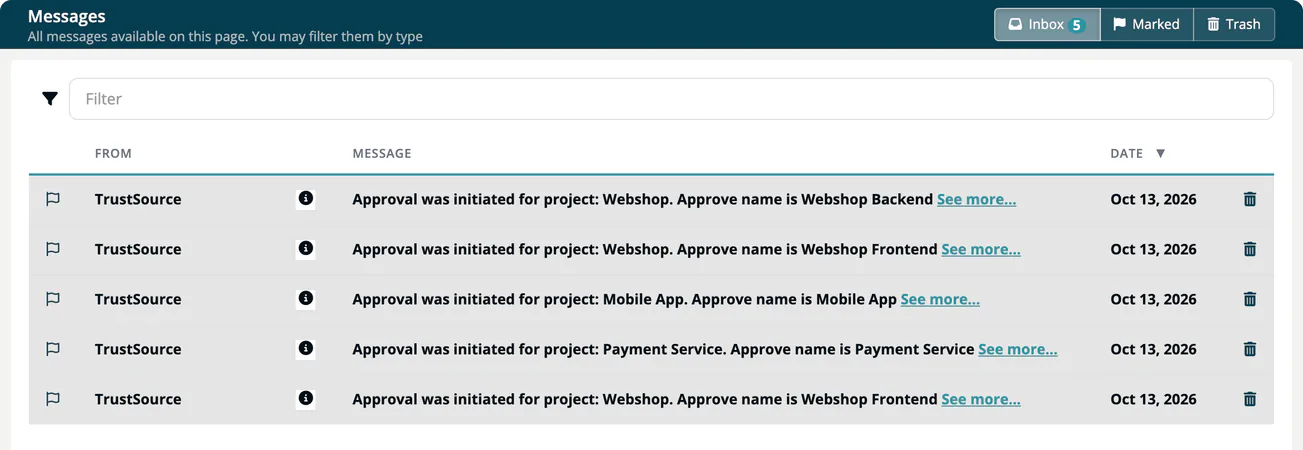
The Messages page collects the notifications TrustSource CE sends to you, for example about analyses, approvals, allow-list decisions and new vulnerabilities. Open it with the envelope icon Messages in the right bar. An open envelope ("Unread messages available") means you have unread messages.
Folders
| Folder | What it holds |
|---|---|
| Inbox | New messages and marked messages. |
| Marked | Messages you flagged. |
| Trash | Messages you moved to the trash. |
A badge on a folder button shows its number of unread messages.
Work with messages
- Select a row to mark the message as read. Unread messages are highlighted.
- The flag icon moves a message to Marked, or back to the inbox.
- The trash icon moves a message to Trash; in the trash, the undo icon moves it back to the inbox.
- In Trash, Empty Trash now deletes all messages in it.
- See more... next to a message opens the related module, project, approval or report.
The table shows From, a type icon, Message and Date. Use the Filter box to search.
Filter by type
The second button group filters the folder by message type. Only types that occur in your messages are shown: Events, Approvals, Change component status, Reset component status, New vulnerability introduced, Component comment, Alarms and News.
Which messages you get
What reaches your inbox, and whether a copy is also sent by email, depends on your Communication preferences in the profile. Emails need a working SMTP server on your installation.