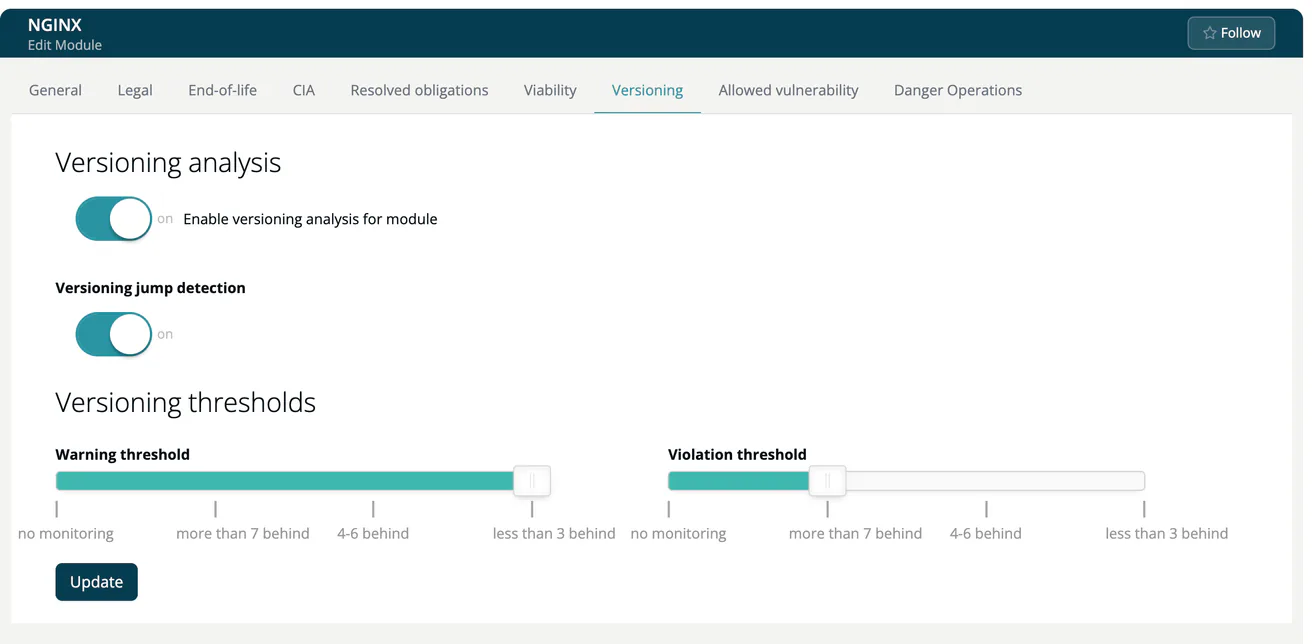
Versioning (Module)
Note
Required role: everyone who can open the module settings reads the tab. Editing and Import settings from Module are for developers who are members (or of a module without members) and for managers and compliance managers who are the module's default project manager or default compliance manager (or any of them while none is set). See the Module Settings Permission Matrix.
Versioning checks how far the component versions in your module lag behind the newer versions known for the component. A module that still uses spring-core 5.2.1 while 6.1.x is known lags several releases.
Note
TrustSource CE compares against the versions recorded in its own Component Lake, which grows with the scans of your installation and the entries of your Company component managers. It does not query package registries for new releases.
Steps
- Turn on Enable versioning analysis for module.
- Confirm Are you sure you want to update Versioning analysis settings? with Yes, update settings! The module is analysed again.
- Adjust the settings below and click Update. A toast confirms Versioning settings changed!.
Fields
| Field | Meaning |
|---|---|
| Versioning jump detection | Switch that turns the detection of version jumps on or off. |
| Warning threshold | no monitoring, more than 7 behind, 4-6 behind or less than 3 behind. |
| Violation threshold | Same scale. |
The warning threshold must not be lower than the violation threshold, unless it is no monitoring; otherwise the form shows 'Warning threshold' must not be lower than 'Violation threshold'. If you may only read the tab, the same fields appear greyed out.
Import from another module
Import settings from Module copies the versioning settings of another module.
Tip
The result is listed in the Versioning report of the project (Reports → Versioning on the project page). See Analysis Reports.