Audit Logs
Note
Required role: Account admin
The Audit logs page ("All logs of company") is your company's audit trail in TrustSource CE: who did what and when. It lists the recorded actions of all users and API keys, newest first.
Open Administration → Audit logs, or select View all logs on the dashboard's activity panel.
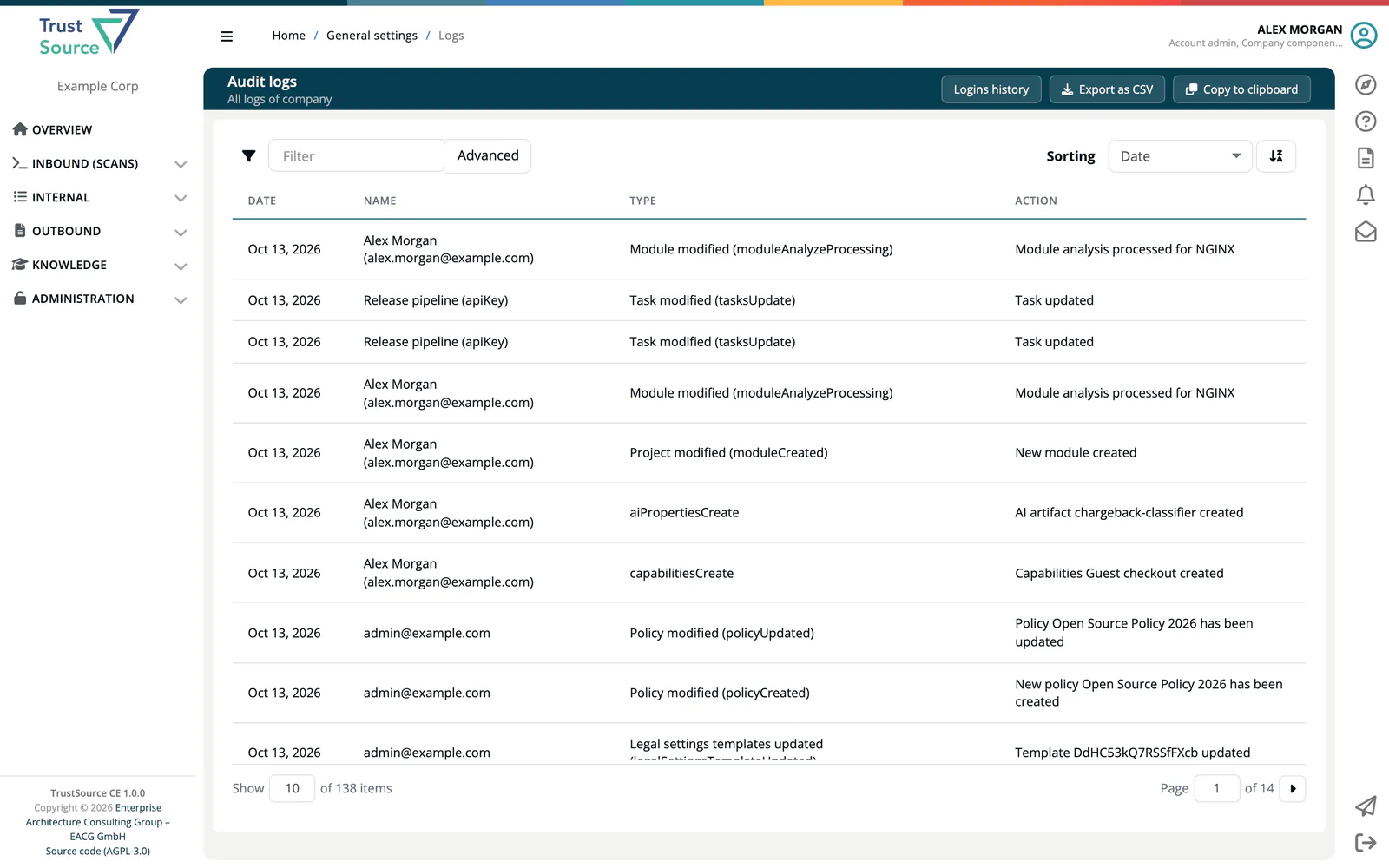
Read the table
| Column | Meaning |
|---|---|
| Date | When the action happened. |
| Name | The user, the name of the API key, or unknown if the actor no longer exists. |
| Type | A group label followed by the event key, for example Risk modified (riskPropertiesUpdate). |
| Action | A sentence describing the change. |
Find an entry
- Type in the Filter box to search the user name, the event label and the message at once.
- Select Advanced to combine filters: User name, Event, Message and Event type. Event type is a list of all event keys, which is the most exact way to narrow down.
Export
- Export as CSV downloads the entries that match the current filter and sorting as
export_logs_<date>_<user>.csv, with the columns Date, Name, Type and Action, separated by semicolons. - Copy to clipboard copies the same table.
What is logged
The Type column groups events by label. Examples:
| Group | Examples |
|---|---|
| Scan added, Scan processed, Scan deleted | Dependency scans and their processing. |
| Project modified, Module modified, Project deleted | Create, delete and settings changes. |
| Approval created, Project approval, Module approval | The approval workflow. |
| User modified, User removed, User imported, Account modified | Invitations, role changes, removals, CSV imports and company settings. |
| Policy modified, Allow/deny-list modified, License modified | Policies and lists. |
| Private licenses modified, Private algorithms modified, Tags modified, Manual vulnerability modified | Company settings cards. |
| Integration modified, Webhook created, Webhook removed | Integration settings. |
| API activity recorded | API key and release key activity, such as creating, publishing or copying a key. |
| CSAF created, CSAF updated, CSAF published | CSAF documents. |
| Risk modified, Task modified | Risks and their tasks. |
Logins
Sign-ins are not part of this table. Select Logins history at the top right to open the Login History.
Related
- Login History: sign-ins and users who have not logged in
- User Management