MDR/IVDR Classification (Project)
Note
Required role: everyone who can open the project settings reads the values. Editing, import and propagate are for manager and compliance_manager users who are the project's default project manager or default compliance manager (or any of them while none is set).
Required account type: Medical
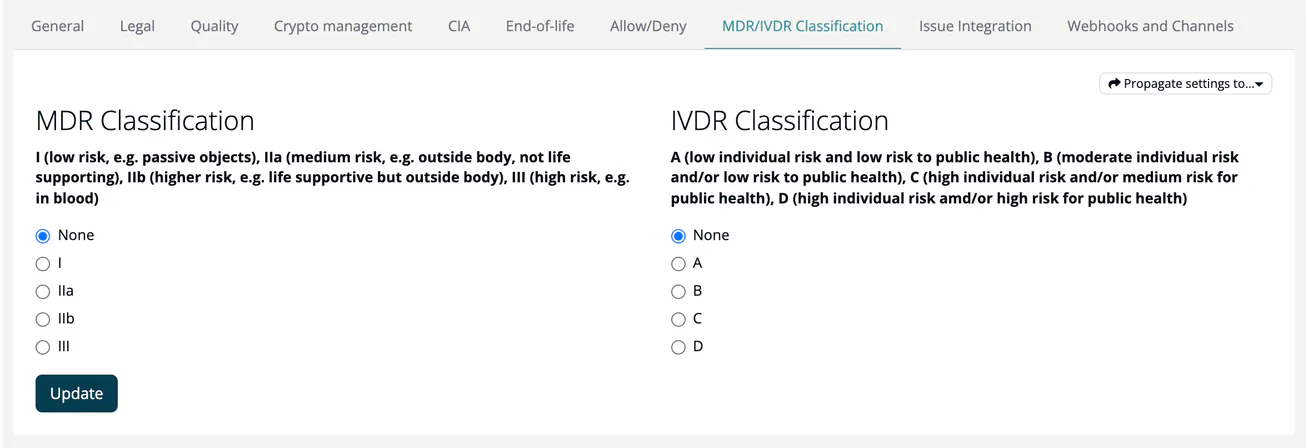
The MDR/IVDR Classification tab lets you set MDR (Medical Device Regulation) and IVDR (In Vitro Diagnostic Regulation) classifications at the project level.
Fields
| Field | Options |
|---|---|
| MDR Classification | None, I, IIa, IIb, III |
| IVDR Classification | None, A, B, C, D |
Click Update to save.
Actions
- Import settings from Project: copy the classification from another project (with a name search). The button only appears when another project already has a classification set.
- Propagate settings to...: push the classification to one other project or to All my n projects. Portfolio managers also see All n projects. The button only appears when there are other projects you can propagate to (projects where you are the default project or compliance manager, or projects without managers).
Note
This tab is only visible for Medical accounts. See Account Types for edition details.