Tab: Documents
Note
Required license feature: products
Editing: developer, compliance_manager, company_security_manager or account_admin
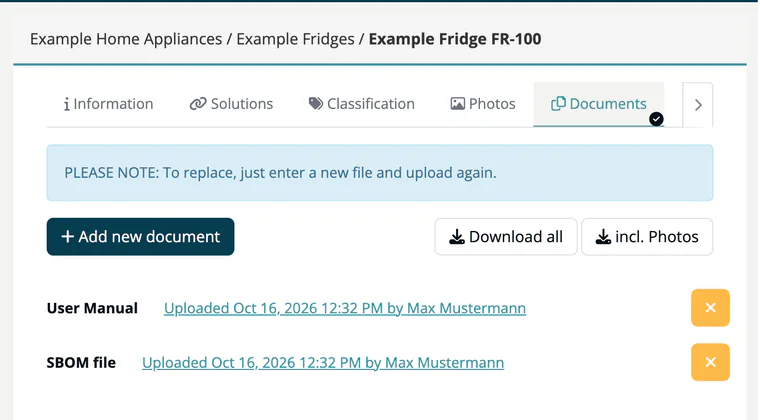
The Documents tab keeps the documents the CRA expects you to provide with a product. There is one slot per document type.
Document types
| Type | Used for |
|---|---|
| User Manual | Instructions for users. |
| Secure Setup | Guidance for installing and operating the product securely. |
| Product Description | Description of the product. |
| SBOM file | Software bill of materials; can be generated from the Solutions tab. |
| CE mark declaration | The declaration of conformity. |
Upload a document
- Click Add new document. The Upload product document dialog opens.
- Choose the Document type.
- Select the File and click Upload. Accepted formats: PDF, DOC, DOCX, XLS, XLSX, PPT, PPTX, TXT, RTF, ODT, ODP and ODS.
Tip
To replace a document, upload a new file of the same type. The old file is deleted.
Uploaded documents are listed with their type, upload date and uploader; click the entry to download the file. Click the x button on a row to remove the document; it is removed at once, without a confirmation.
Download everything
Download all packs all documents into one ZIP archive (it does nothing while no document is uploaded). incl. Photos (shown when photos exist) adds the pictures from the Photos tab.
Related
- Products overview - all eight product tabs