Verify
Note
Required role: compliance_manager, manager or account_admin (the Outbound menu)
Verify checks whether a document was really issued by TrustSource for your company and has not been changed since. It checks the signature of the document; it does not validate the format of SBOM, CSAF or other files you receive from suppliers.
Which documents carry a signature
The documents served through a release key are signed:
- the SBOM of a release (
/compliance/releases/{release_key}/sbom), - the notice file of a release (
.../notice), - the CSAF VEX documents of a release (
.../csafand.../csaf-changes).
Each of them carries a signatures list with an hmac-sha256 signature over the document content. The signing key never leaves TrustSource, so only TrustSource can check the signature: a recipient who wants a document confirmed pastes it here or asks you to. Files you download in the app (for example from SBOM + CBOM or Notice Files) carry no signature.
How to use it
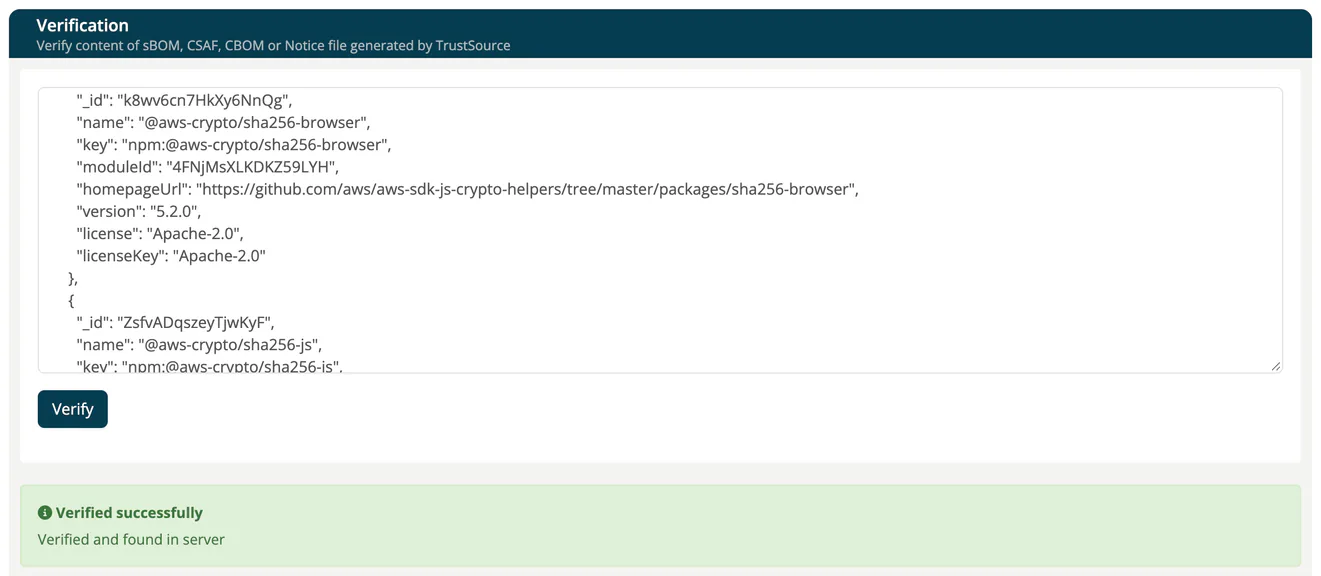
- Open Outbound → Verify. The page is titled Verification.
- Paste the complete JSON document, including its
signatures, into the text field. - Click Verify.
Results
| Result | Meaning |
|---|---|
| Verified successfully - Verified and found in server | The signature matches the content and TrustSource has a record of issuing it. |
| Verified successfully - Verified but not found in server | The signature matches the content, but no record of issuing it was found. |
| Verified successfully - Verified (legacy MD5) and found in server | An older document with an MD5 signature that TrustSource issued itself. |
| Verification error - File modified or signature is invalid | The content was changed after signing, or the signature is not from TrustSource. |
| Verification error - Legacy MD5 signature is no longer accepted for unrecognised content | An MD5-signed document that TrustSource has no record of. |
| Verification error - Data or signatures are not found | The document has no signature. |
| Error | The text is not valid JSON. |
Related
- Public Approves - the release documents and their keys
- CSAF Documents - VEX and security advisories
- SBOM + CBOM - generating your own SBOMs