Products
Note
Menu: Internal → Products is shown to Developer, Compliance manager and Manager. Editing a product: Developer, Compliance manager, Company security manager or Account admin.
A product in TrustSource CE represents what you ship to the customer. Products are particularly important for EU Cyber Resilience Act (CRA) compliance: they carry the CRA classification, contacts, documentation and misuse cases.
Products vs. Modules
- A module is what you build (code, dependencies, scans).
- A product is what you ship (packaging, classification, documentation, contacts).
- Products link to modules via solutions: approved releases that make up the product.
The Products page
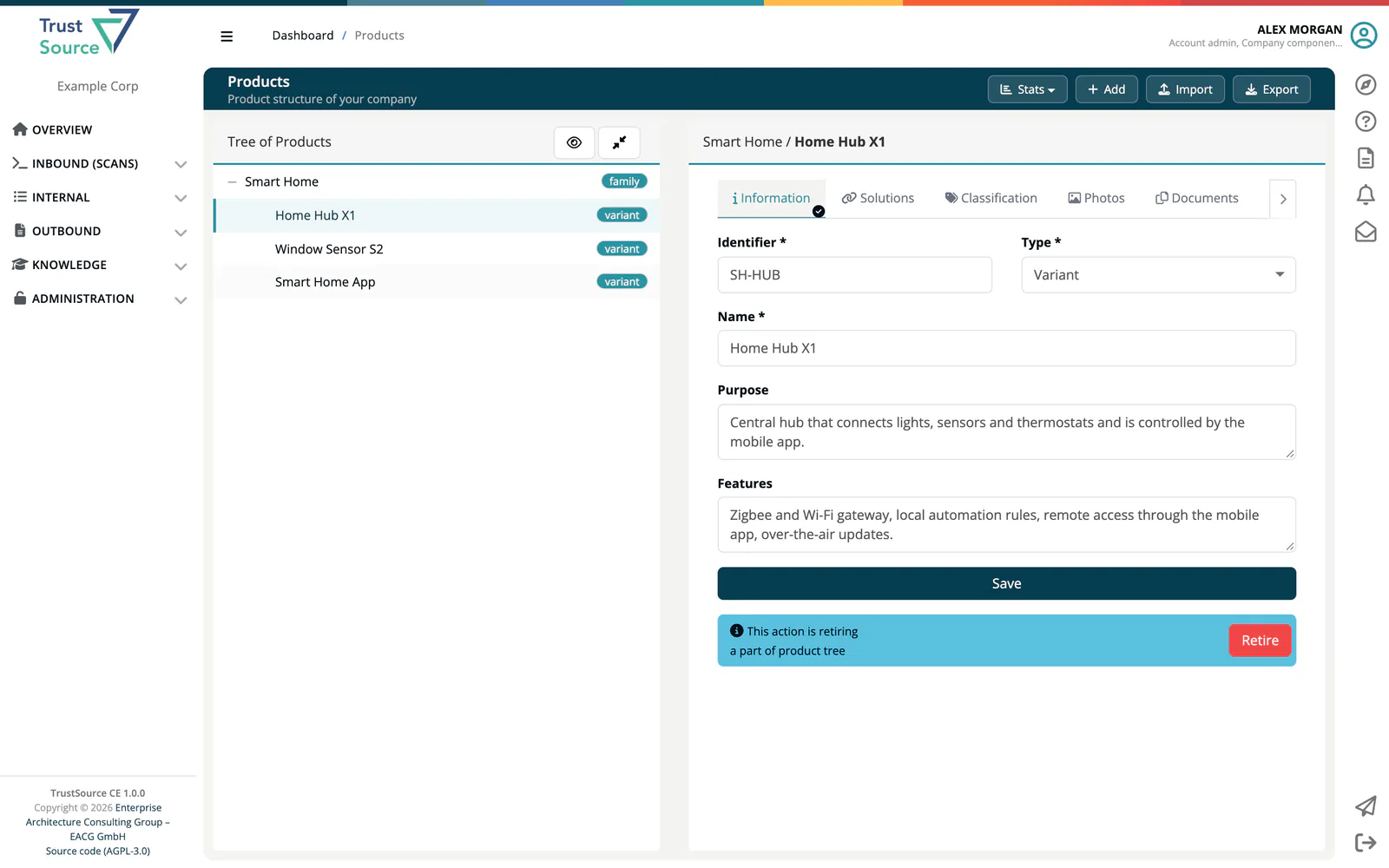
The page header reads Products (Product structure of your company) and offers Stats, Add, Import and Export. The left panel shows the Tree of Products; select a product to open its tabs on the right. See Create & Import Products.
Product detail tabs
| Tab | What it contains |
|---|---|
| Information | Identifier, type, name, purpose and features; retire and revert. |
| Solutions | Approved releases linked to this product; SBOM generation. |
| Classification | CRA classification (STANDARD, IMPORTANT Class 1, IMPORTANT Class 2, CRITICAL). |
| Photos | Product photo gallery. |
| Documents | User manual, secure setup, product description, SBOM file, CE mark declaration. |
| Contacts | Manufacturer data and product security contact. |
| Support | Support contracts with end dates; end-of-life file. |
| Misuse | Potential misuse cases required by the CRA. |
Photos and documents are stored on the server's own file storage (the ts-files volume of the reference setup), not in an external service. Include that volume in your backups; see Backups & Monitoring.
Related
- Link with Release - how to connect an approved release to a product
- Products API - read and write products from your own tools
- Background: Cyber Resilience Act