Component Lake
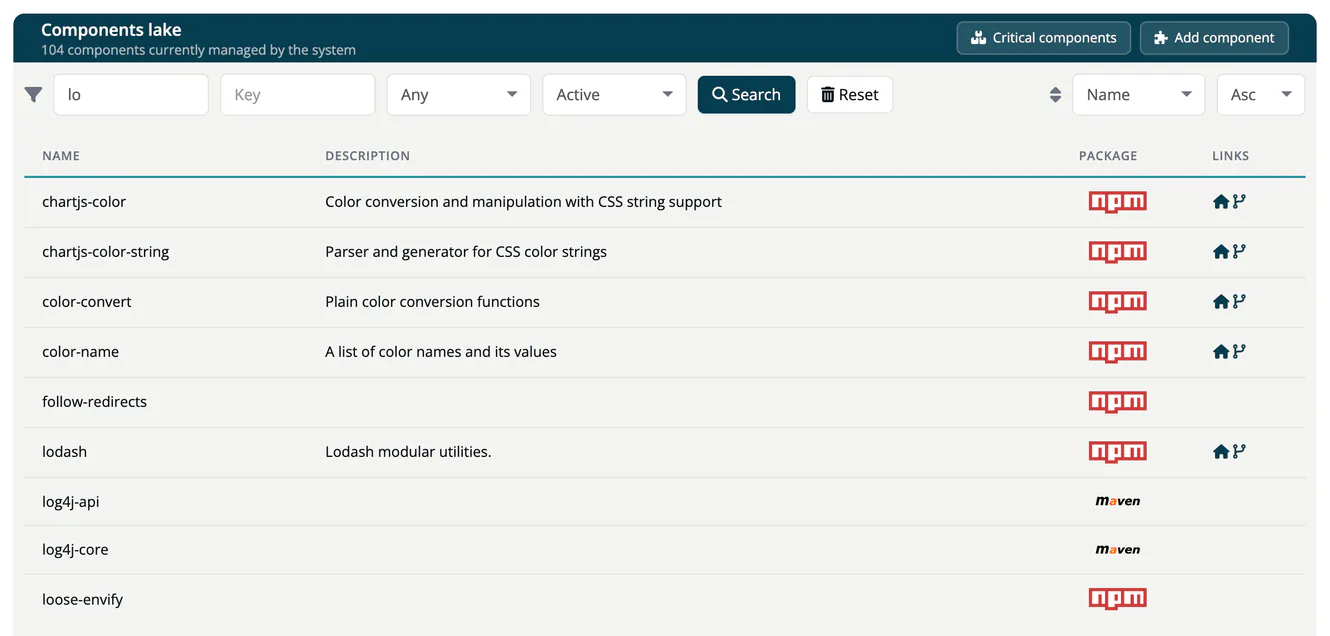
The Component Lake is the component catalog of TrustSource CE. Use it to look up a package, check its licenses, versions and vulnerabilities, or to see whether it is on your company's deny list. Open it from Knowledge → Component Lake; the page is titled Components lake and shows how many components the system currently manages.
Where the data comes from
The catalog holds every component this installation has seen: when an analysis meets a component that is not in the catalog yet, TrustSource CE creates it from the data in the scan (name, key, versions, licenses, URLs, description). Users with the Company component manager role can add and correct components. The catalog is shared by all companies of the installation.
Search
Combine the criteria in the filter bar and press Search:
| Criterion | Meaning |
|---|---|
| Name | Part of the component name. |
| Key | Part of the component key, for example npm:lodash. |
| Language | Any or one programming language, for example Java or Python. |
| Status | Active or Removed (soft-deleted components). |
Sort by Name, Key, Language or Description, Asc or Desc. Reset clears the criteria. Until you search, the page asks you to set criteria.
Results show Name, Description, Package (ecosystem icon) and Links to the homepage and repository. A red B marks a component on your company's deny list. Select a row to open the component.
Component page
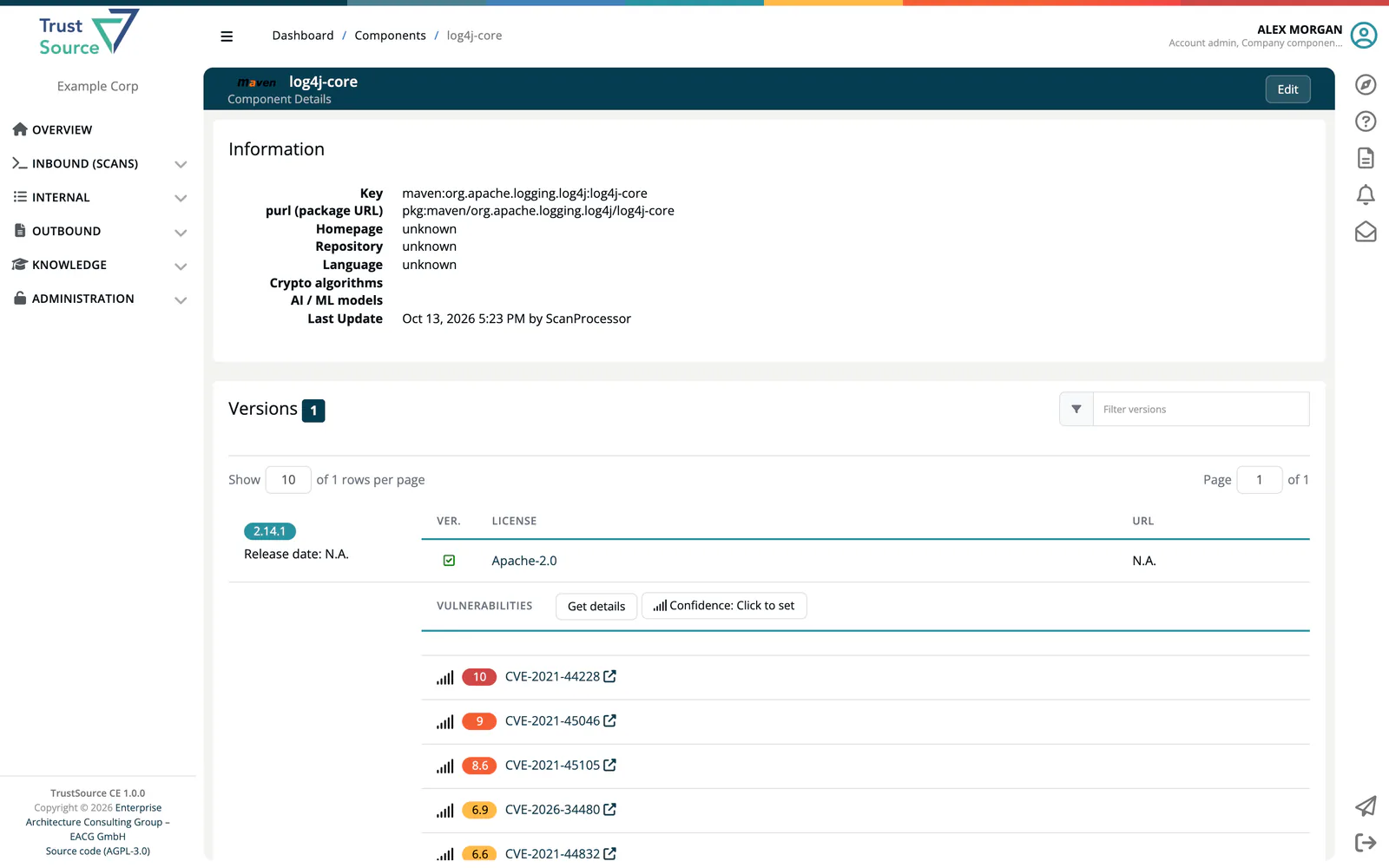
A component page shows the Information (key, purl, homepage, repository, language, crypto algorithms, AI / ML models, last update), a Comment if one exists, the commercial terms if any were recorded, and the Versions. For each version you see the release date, the purl, the licenses (with a link to the license page), checksums, copyright and the vulnerabilities reported for it. Key missing or Key and Name missing marks incomplete license data. Type part of a version into the version filter to narrow the list.
Company component managers see Add component on the lake page, an Edit button on a component, and a Critical components button that opens the Components report of components with missing data. Changes to a component are recorded on its Logs tab.