License Details
Note
Required role: any role with access to the project can read. Edit needs Company component manager.
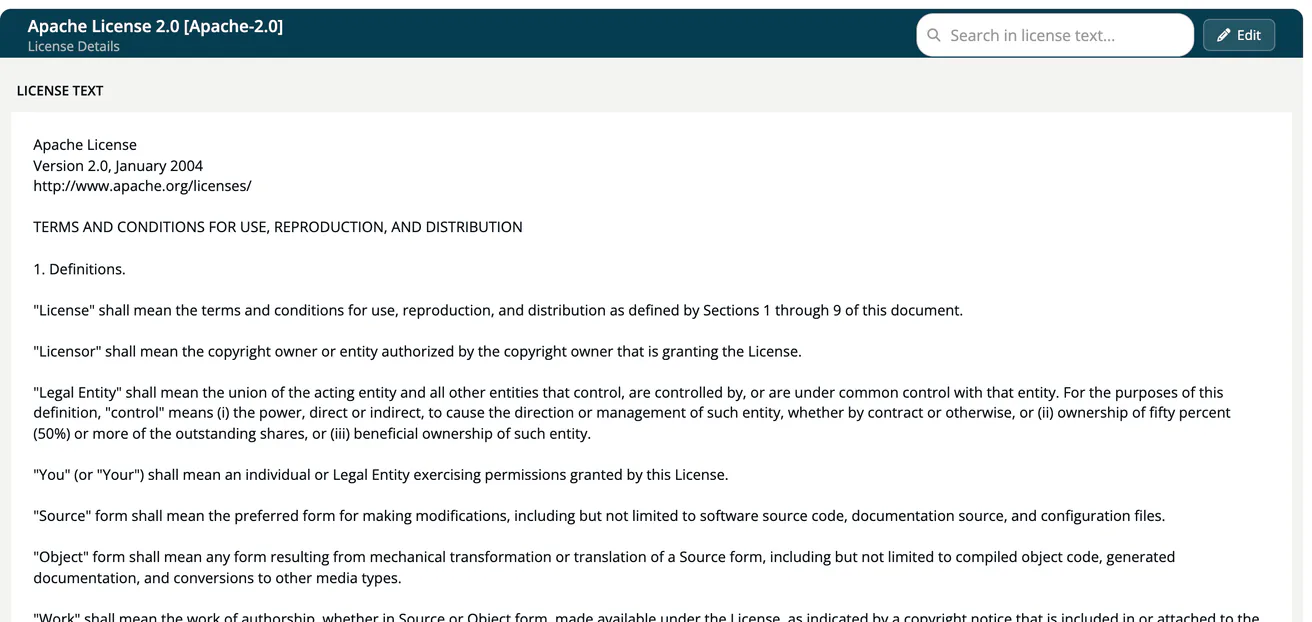
The license details page shows the text of a license. You reach it from a module: open the Legal view and click a license name. The page title shows the license name and its key, for example Apache License 2.0 [Apache-2.0], with the subtitle License Details.
What the page shows
- License text: the full text, with the Search in license text... box at the top right to highlight terms. Where the text is not stored, the page says The text of this license is not stored in TrustSource CE. and links to the license's own URL if one is known.
- created / updated: dates of the catalog entry, in the footer of the panel.
- Edit (Company component manager only): opens the license editor. See Licenses.
The page does not rate the license. In TrustSource CE, obligations and violations are not stored in the license catalog; the bundled legalcheck service computes them for each module from the license, the project and module Legal settings, and your allow and deny lists. You see the result on the Legal view and in the component side panel.
From the Legal view
On the Legal view a license row shows its status and expands to the components that use it. A component is listed under License not detected when the scan found no license; use Manual license resolution to set one.
To decide how a license is treated, right-click it and choose Always allow in Module / Project / Company or Always deny .... The decision is stored in the Allow/Deny lists of the chosen level.